 Hearth Website Creator
Local AI
The model runs on your PC
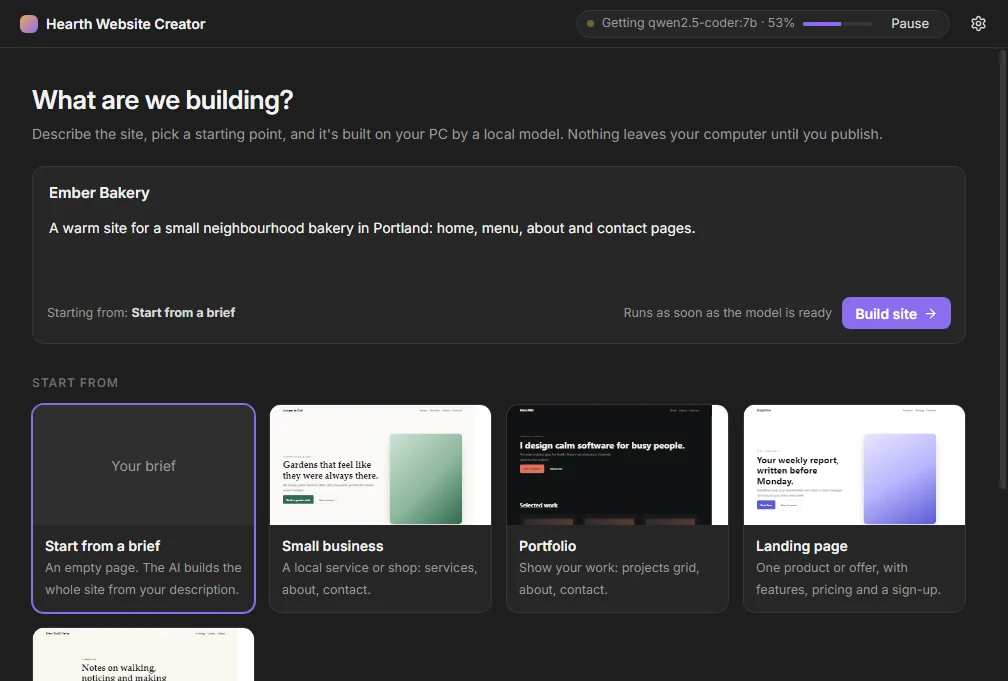
Sites are generated with Ollama and the qwen2.5-coder:7b model. If Ollama or the model is missing, the app installs them in the background. The model download is about 4.7 GB.
Free Windows beta · 0.1.0
Describe the site you want. Hearth Website Creator Basic builds it on your computer with a local AI model, lets you preview and edit it, then publishes it to the host you choose.
Version 0.1.0 beta·Windows 10/11, 64-bit·About 82 MB·No account·Unsigned
Features
The app opens straight to your projects. There is no onboarding. Sites stay in your Documents folder until you decide to publish.
Local AI
Sites are generated with Ollama and the qwen2.5-coder:7b model. If Ollama or the model is missing, the app installs them in the background. The model download is about 4.7 GB.
Preview and edit
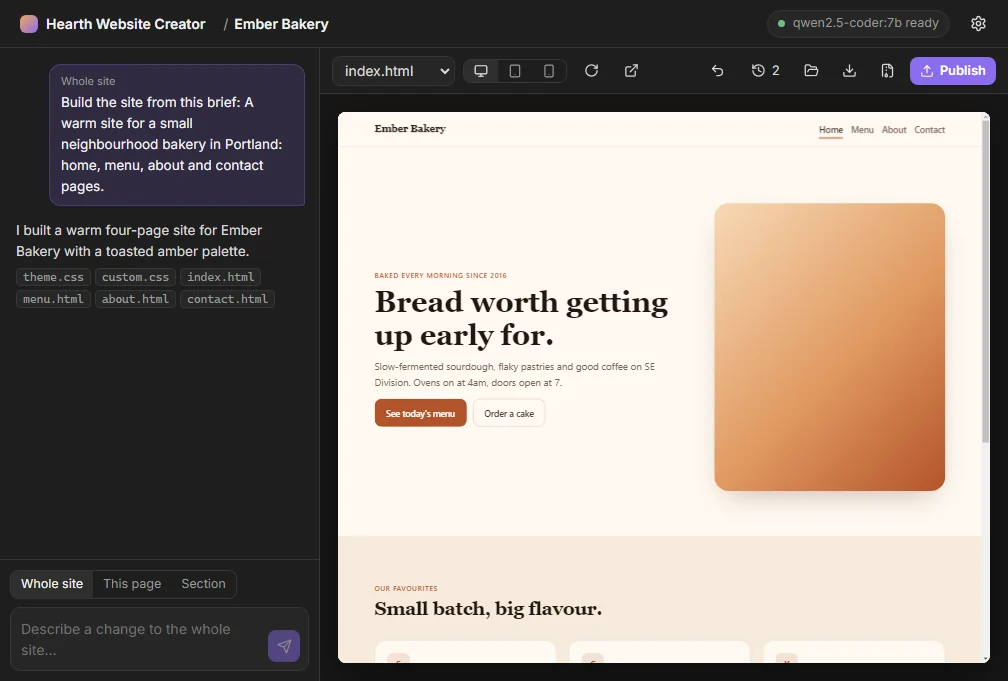
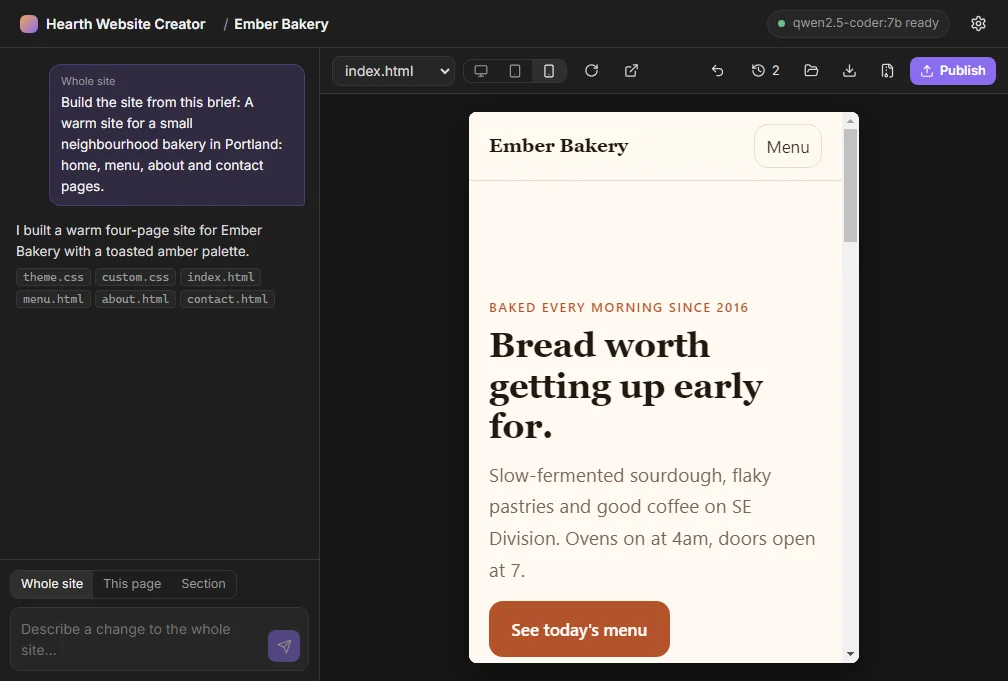
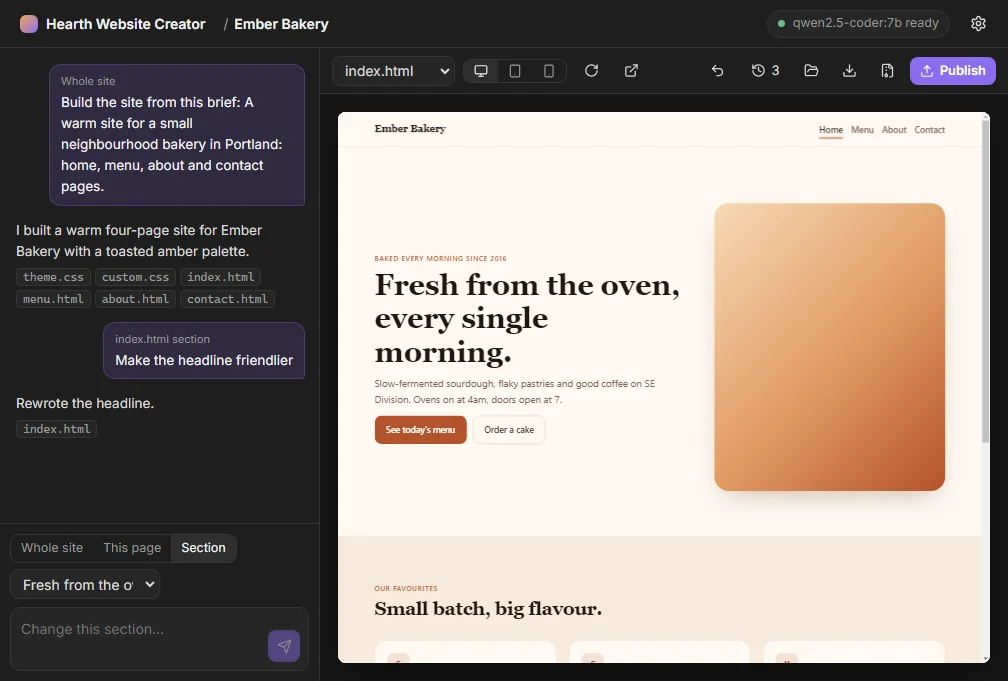
A live preview updates as you work. Switch to a phone preview when you want to check a smaller width, and edit one section at a time without rewriting the whole page.
Your files
Every site is saved to Documents\Hearth Websites. Copy a project to the Desktop, or export it as a zip, whenever you want a spare or want to hand the files to someone else.
How it works
Three steps, all on your computer until you hit publish.
Open the app and describe the site you want. If Ollama or the model is not installed yet, that work starts in the background while you write.
Watch a live preview of the pages. Check the phone width, then change a section, a page, or the whole site until it reads the way you want.
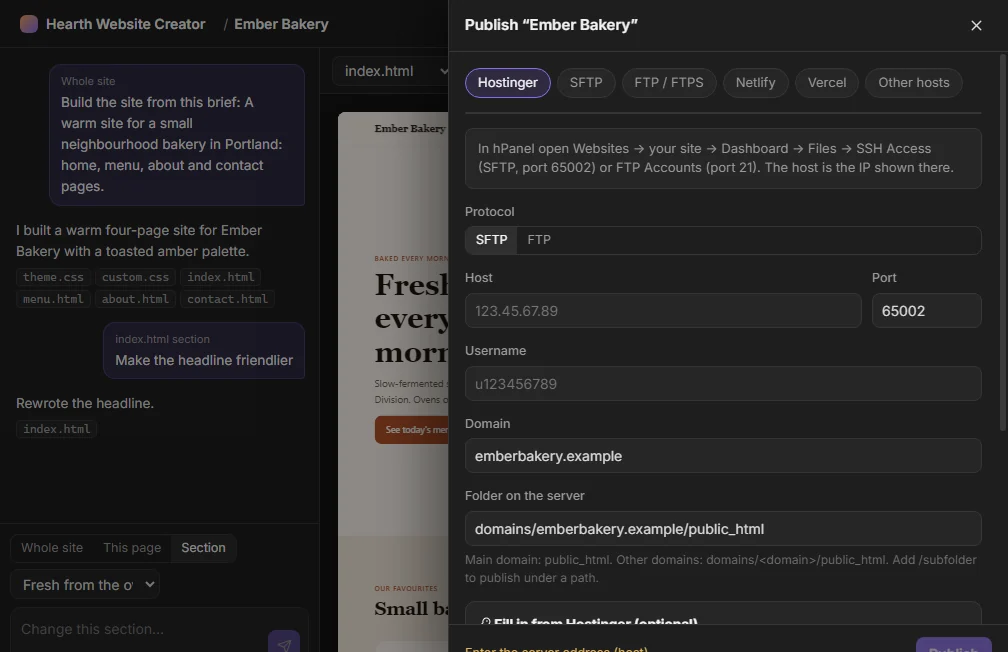
Send it to Hostinger, any FTP, FTPS or SFTP host, Netlify or Vercel. For other hosts, the app includes written steps. Credentials stay encrypted on the device.
Publishing
The app talks to the hosts below directly. Logins are asked for the first time only, then stored encrypted on your PC.
Publish over SFTP or FTP. An optional Hostinger API token can fill in your websites for you.
Any standard file-transfer host, not only Hostinger, with the host, port and folder you specify.
Publish through those services when you already have an account, without leaving the app.
If your provider is not in the list, the app includes written steps so you can upload the files yourself.
Download
Free, version 0.1.0, currently a beta. Choose the installer or a single-file portable app. Both are about 82 MB.
A standard Windows setup that puts the app in your Start menu. About 82 MB.
c55497c6d4261f944424f2c41596c4cd80d81ee79c06447d51c077fa98d6dad5
A single .exe. No install step. About 82 MB. Your sites still save to Documents\Hearth Websites.
fb2cc141b0ff36b8c95090e36796964bbb85c8207b0cb3d9e74d56f1cece8dc7
This beta is not code-signed. SmartScreen will often say that Windows protected your PC. Choose More info, then Run anyway. That warning is expected until a signed build is available.
FAQ
The site is generated on your PC with Ollama and qwen2.5-coder:7b. Credentials for publishing are encrypted and stored on the device. Nothing is uploaded until you publish to a host you choose.
Yes. The 0.1.0 beta is unsigned, so SmartScreen commonly shows “Windows protected your PC.” Open More info, then choose Run anyway. Compare the SHA-256 on the download section with the file you received if you want to check it first.
No. If Ollama or the qwen2.5-coder:7b model is missing, the app installs them in the background. The model is about 4.7 GB, so the first run can take a little while on a slower connection.
The installer is a standard Windows setup. The portable build is a single .exe you can run without installing. Both are version 0.1.0, both are about 82 MB, and both save your sites to Documents\Hearth Websites.
Hostinger (SFTP or FTP, with an optional API token), any FTP, FTPS or SFTP host, Netlify, and Vercel. If you use something else, the app includes written steps for uploading the files yourself.
Windows 10 or 11, 64-bit. A graphics card with 8 GB or more of VRAM is recommended, because the local model is 7B parameters. The first model download is about 4.7 GB.
No. This is a separate Windows app for building websites. Hearth is the local AI assistant. They share a name and a look, and that is the family they belong to.
Free, no account, and it opens straight to your projects. Version 0.1.0 is a beta, and it is unsigned, so SmartScreen will ask you to confirm the first run.